 Google Play ↗
What to know
- Use the current shortcuts from your editor, keymap and operating system.
- Start with navigation actions in a disposable project rather than build, deploy or terminal commands.
- A button label does not track the active file, terminal, repository or editor mode.
Before you start
Pair a compatible Android 9-or-newer phone with the development computer and check the selected host and Shortcut keys setting.
Open a scratch project with no important changes. Check whether extensions or custom keymaps override the commands you intend to use.
How to do it
Choose commands that are easy to observe
Find the editor's assignments for file search, text search, next editor and a harmless editing command. Try each on the physical keyboard and note which pane must have focus.
Create the first navigation button
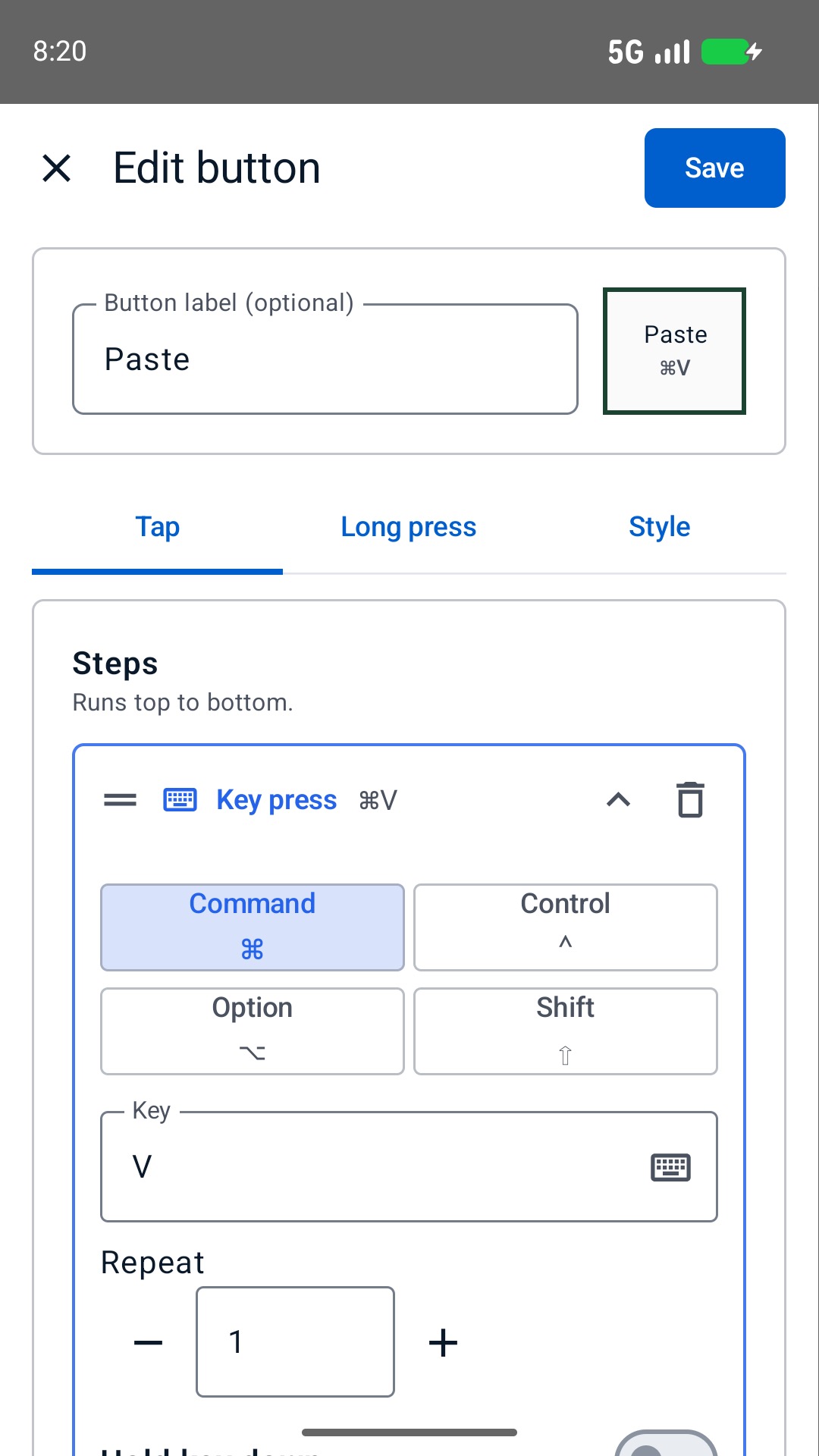
On the phone, open Buttons, Edit and a slot. In Tap, add a Key press with the verified modifiers and key. Name the task, choose Save and then Done. Focus the code editor before testing.
Test editor and terminal focus
Use the button in a scratch file, then notice how the same keys behave with a terminal or search field focused. Return to the code editor before continuing. Avoid testing shortcuts that could execute text in a terminal.
Save a board for the keymap
Add only the reliable actions, then save a profile named for the editor or keymap. Recheck it after changing extensions or shortcut settings; the phone does not update its assignments when those settings change.
A navigation-first coding board
| Label | Assignment to check |
|---|---|
| Find file | Open the editor's file picker or navigation interface. |
| Find text | Search in the intended file or project scope. |
| Next editor | Move between open editor tabs without closing work. |
| Go to definition | A command available in your editor and language setup. |
| Toggle comment | An editing command tested on selected scratch text. |
Keep execution off the starter board
Terminal Return, deployment commands, database changes and forceful Git actions carry a different risk from opening a file picker. Leave them out of this first deck instead of wrapping them in a long blind macro.
Type text can send a short supported US-layout snippet, up to 500 characters, but it does not paste Unicode or know where the cursor is. Check punctuation and indentation in a scratch file. Keep credentials and private tokens out of stored text.
Limits to keep in mind
- Focus and modal-editor state can change the meaning of a key.
- Do not use stored macros for secrets, unattended production operations or actions whose partial completion is hard to recover.
Questions and answers
Is this a VS Code or JetBrains plug-in?
No. This workflow sends Bluetooth keyboard input. Configure the commands supported by your editor; it does not read editor state or use a dedicated IDE integration.
Can it confirm that a build or test passed?
No. Sending a command is not confirmation of its result, and a timed Delay cannot inspect build output.